
Your iPhone 12’s IMEI is the 15-digit number that identifies your specific device. You can see it in two places without any tools: dial *#06# on the Phone app and it appears on screen immediately, or go to Settings, then General, then About, and it’s listed there under IMEI. Both should show the exact same number. That’s the IMEI check almost everyone searching this term actually wants, and it takes about ten seconds.
Where it gets more complicated is a second, unrelated thing that shares the same three letters: Kenya’s attempt to build a national IMEI registration system tied to import duty and tax compliance on mobile devices. That system exists on paper, but as of this writing it’s been blocked by a Kenyan court and isn’t something you can currently register for, check, or be penalized over. The two things, your device’s own IMEI and Kenya’s regulatory IMEI system, get confused with each other constantly, so this guide covers both and is explicit about which is which.
Table of Contents
What an IMEI actually is and why you’d check it
An IMEI, International Mobile Equipment Identity, is a unique serial number burned into every mobile phone at manufacture. Two phones never share one. It’s different from a SIM card or a phone number: the IMEI identifies the physical device itself, and it stays the same no matter whose SIM is in it or which country it’s used in.
People check an IMEI for a handful of reasons: to confirm a used phone they’re about to buy is the device the seller says it is, to check Apple’s warranty or coverage status before a repair, to see whether a phone has been reported lost or stolen before handing over money for it, or, in Kenya specifically, because of a registration requirement that’s been in the news on and off since late 2024. That last one is the part most searches on this topic are actually trying to understand, and it’s covered in full further down.
How to run an iPhone 12 IMEI check (two ways, no tools needed)
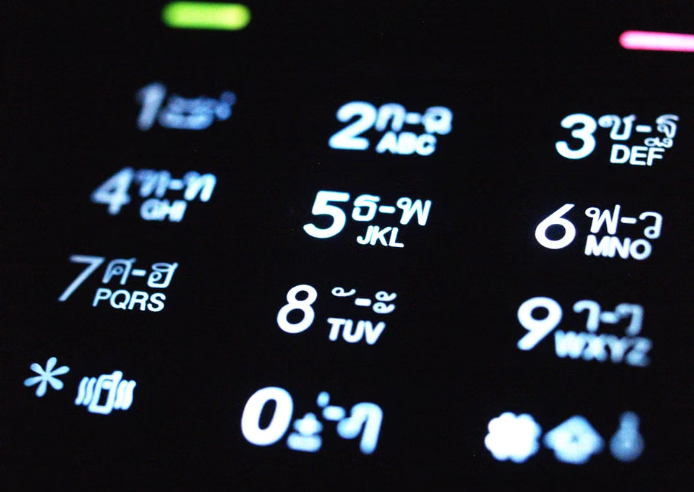
Method 1, dial it: Open the Phone app and dial *#06#. The IMEI displays on screen immediately, no call is placed, no app install needed.
Method 2, through Settings: Open Settings, tap General, then About. Scroll down and the IMEI is listed there alongside the serial number and model number.
On a genuine iPhone 12, the number from both methods matches exactly, and that match is the whole point of running this check in the first place. This is also the fastest way to spot a counterfeit clone: if the two numbers don’t match, or either one is missing or looks obviously wrong, that’s one of the eight warning signs covered in our full guide on telling a genuine iPhone 12 from a fake or clone, which walks through IMEI mismatch as check 1 alongside seven other checks.
If you’re buying secondhand and the seller won’t let you run this IMEI check with *#06# or Settings before you pay, that alone is reason enough to walk away.
Apple’s own device check: Check Coverage
Once you have the IMEI or serial number, Apple’s own Check Coverage page tells you three things for free: the exact model, whether the device is still under any Apple warranty or AppleCare coverage, and its estimated purchase date range. Enter the serial number (not the IMEI, Apple’s tool wants the serial number specifically, which is also listed in the same Settings > General > About screen) and it returns the result instantly.
This is useful for a secondhand iPhone 12 in a different way than the dial-code IMEI check: it confirms the device is a real, Apple-registered unit rather than a clone, and it tells you whether any coverage transferred with it. It won’t tell you about Kenyan import duty, tax status, or registration, because Apple’s tool has nothing to do with any country’s customs system. That distinction, between what Apple’s check covers and what an import-duty IMEI check is supposed to cover, is where most of the confusion starts.
Kenya’s import-duty IMEI registration: what it is and where it actually stands
This is the part that needs a direct, honest answer rather than a vague one, because the actual legal status has changed more than once since the policy was first announced.
What was announced. In October 2024, the Communications Authority of Kenya (CA), working with the Kenya Revenue Authority (KRA), announced a Device Identification and Registration directive. The plan: every mobile device imported or assembled in Kenya from 1 November 2024 onward would need its IMEI declared. Importers and local assemblers would upload device IMEIs to a KRA portal as part of standard import paperwork, and travelers entering the country would declare the IMEI of any phone they planned to use locally on form F88.
Devices would then be checked against a database and sorted into tax-compliant, grey-listed (given time to regularize), or blacklisted. The directive was due to take effect 1 January 2025, with phones already active on Kenyan networks by 31 October 2024 excluded.
What happened next. The Katiba Institute, a Kenyan legal and governance organization, filed a petition against the directive on 22 November 2024, arguing it violated the constitutional right to privacy and had no proper legal basis. The High Court issued a temporary injunction blocking the directive on 19 December 2024, before it ever took effect, and extended that block more than once through 2025 while the case was heard.
Where it stands now. On 18 July 2025, the High Court, in a judgment by Justice Chacha Mwita, ruled the directive unconstitutional. The court found the CA and KRA notices had no legal foundation and were never presented to Parliament. It also found that requiring travelers and importers to hand over IMEI data breached the right to privacy under Articles 24 and 31 of the Kenyan constitution. The ruling covered both the traveler declaration requirement and the importer and assembler side of the directive.
The CA has since filed an appeal, but nothing in the public record confirms the directive is back in force. The honest, current answer is that Kenya’s mandatory IMEI registration system is struck down and under appeal, not something you can currently register a device with or be required to comply with.
If you’ve seen a headline, a WhatsApp forward, or a shop telling you your phone needs to be “IMEI registered” to avoid being blocked in Kenya, that claim is currently out of date. It describes a system a court has ruled unlawful.
Apple’s device check vs. an iPhone 12 IMEI check for Kenyan import duty, side by side
| Apple’s Check Coverage | Kenya’s import-duty IMEI registration | |
|---|---|---|
| What it checks | Warranty, AppleCare status, model, purchase window | Whether a device’s duty has been declared and paid |
| Who runs it | Apple directly | Communications Authority of Kenya and KRA |
| Input needed | Serial number | IMEI, declared on import paperwork or form F88 |
| Cost | Free | Was not published before the directive was struck down |
| Current status | Live and working today | Struck down by the High Court on 18 July 2025, under appeal, not currently enforced |
| Relevant to buying a used iPhone 12 | Yes, confirms the device is genuine and shows coverage | Not currently, since there’s nothing active to check against |
Where an iPhone 12 IMEI check matters most: buying a used or Ex-UK unit
If you’re buying a used, Ex-UK, or refurbished iPhone 12 in Kenya rather than a new sealed one, the checks worth running today are the ones in this guide: dialing *#06# against the Settings value, and running the serial number through Apple’s Check Coverage page. Both take under a minute combined and tell you whether the device is genuine and what coverage, if any, is left on it.

Kenya’s import-duty registration system isn’t something you need to act on right now, because there’s currently nothing active to register with or check against. If that changes, for instance if the CA’s appeal succeeds and a revised directive takes effect, this guide will be updated to reflect it rather than left describing a blocked policy as if it were live.
iPhone Deals currently stocks the iPhone 12 (64GB and 128GB) and the iPhone 12 Pro Max (128GB and 256GB), each inspected before sale with a 6-month warranty on network, charging, earpiece, mic, and speaker faults, plus one month on included accessories. Full current pricing is in our iPhone 12 price guide for Kenya.
Frequently asked questions
Is checking an IMEI free? Yes. Dialing *#06#, checking Settings, and using Apple’s Check Coverage page all cost nothing. Be suspicious of any site or shop that asks for payment to “check” or “unlock” an IMEI for a standard iPhone.
Can I check an IMEI without having the phone in hand? Only if you already have the IMEI written down from a previous check, a box label, or a receipt. You can run a saved IMEI through Apple’s Check Coverage page without the device present, but you can’t dial *#06# or open Settings on a phone you don’t have.
Does the IMEI change if I put in a different SIM card? No. The IMEI belongs to the device itself and never changes, regardless of which SIM card, carrier, or country it’s used in. A SIM swap has no effect on it.
What’s the difference between an IMEI and a serial number? Both are unique identifiers for the same physical device, but they’re different numbers used for different checks. Apple’s Check Coverage page asks for the serial number specifically. The *#06# dial code and most carrier or blacklist checks ask for the IMEI. Both are listed together under Settings > General > About.
Is Kenya’s IMEI registration still mandatory for imported phones? No, not currently. The directive requiring it was ruled unconstitutional by the High Court on 18 July 2025. The Communications Authority has appealed that ruling, but as of now there’s no active legal requirement to register a device’s IMEI in Kenya.
Will I be blocked from using my phone in Kenya if I don’t register its IMEI? Not under the current legal situation, since the registration system that would have done this was struck down before most of it ever took effect. Phones already active on Kenyan networks were never going to be affected under the original directive’s own terms either.
How do I know if an iPhone 12 I’m buying secondhand is genuine? The IMEI and serial number checks in this guide are the fastest first step, but they’re one of eight checks worth running. The full breakdown, including the Apple Check Coverage page, the App Store test, and five other signs, is in our guide to spotting a fake or cloned iPhone 12.
Does an IMEI check tell you if a phone was stolen? A full blacklist check against a specific carrier’s lost-and-stolen database can, but that’s a separate lookup from the checks covered here, and availability depends on which carrier and country the phone was originally registered with. The IMEI match check in this guide confirms the device is genuine, not its reported-stolen status.
Where can I find my iPhone 12’s IMEI if the screen is cracked or won’t turn on? Check the original box if you still have it, the IMEI is printed on the barcode label. It’s also usually etched on the SIM tray on some iPhone models, though not consistently on every unit. A carrier or seller’s receipt may also have it recorded from setup.
Why does Apple’s Check Coverage page ask for a serial number instead of the IMEI? Apple’s own systems are organized around the serial number as the primary identifier, since it existed before IMEI-based tracking became standard across the phone industry. The two numbers refer to the same device and are both listed in the same Settings screen, so having either on hand works for finding the other.
Sources
- KRA, Device Identification and Registration (DIR) System
- Capital FM Africa, High Court nullifies CA’s directive on mandatory IMEI declaration
- Techweez, Privacy victory for Kenyans as court kills mandatory IMEI registration
- Nation Africa, Communications Authority appeals quashing of directive on IMEI numbers
- Apple, Check Coverage
Guide maintained by iPhone Deals, Kimathi House, 4th Floor Suite 404, Kimathi Street, Nairobi CBD, Kenya. Phone: 0747 881573. Open Monday to Saturday, 8:00 AM to 7:00 PM, and Sunday, 9:00 AM to 6:00 PM.